
Guide
Newsletters
Get newsletters into Readstow with your own inbox address, and manage each sender.
Readstow gives you a private email address. Mail sent to it arrives in Readstow as an article you can read offline. Each newsletter becomes a source of its own, like a feed.
Find your address
Go to Settings → Newsletter inbox. Your address is at the top. Tap Copy address to copy it.
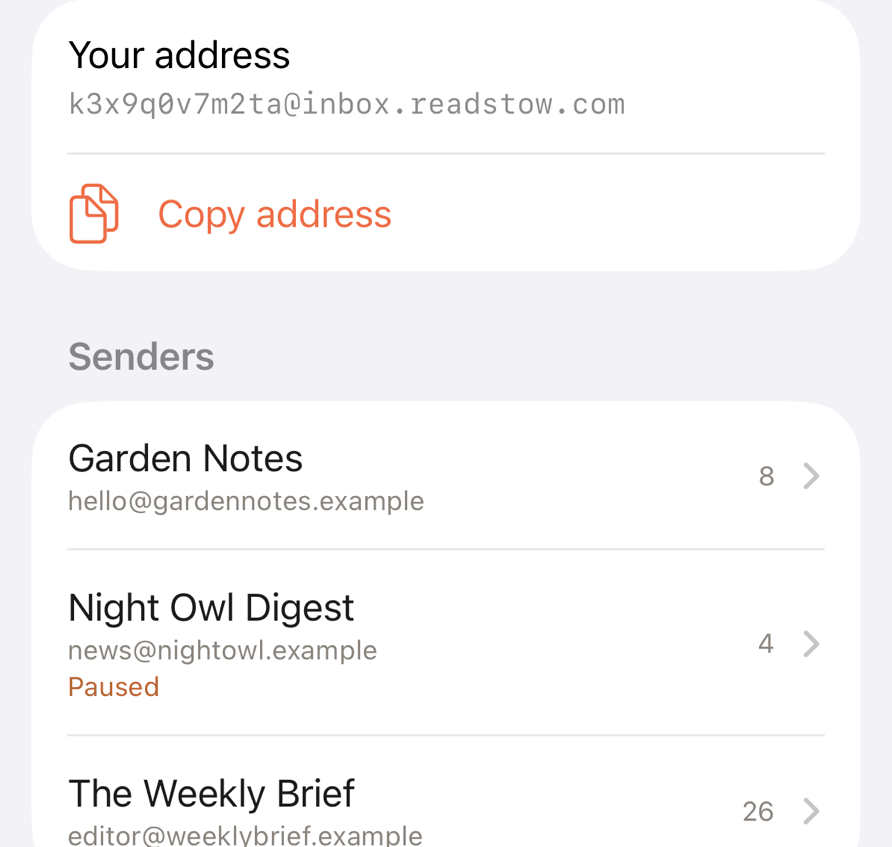
The address only receives mail. It can’t send anything.
Get newsletters to it
Subscribe to the newsletter with your Readstow address instead of your usual one.
If a newsletter won’t accept your Readstow address, subscribe with your own email and forward its mail to your Readstow address. Some mail services send a confirmation first. It appears at the top of the Newsletter inbox page, with a Confirm forwarding button and a code you can copy.
Forward or send a single email
To send one issue, forward it to your Readstow address from any mail app. Readstow takes the original sender and subject, not yours, so it appears under the newsletter that sent it.
- An email that is just a link saves that link as an article.
- Mail you send yourself. Email your Readstow address from your own account address and it is saved, even if it isn’t a newsletter.
Each sender’s settings
Under Senders, the five with the newest mail are listed. Tap Show all senders to see every one, and search by name or address. Tap a newsletter to open its settings. The same settings are on Settings → Manage feeds, or press and hold the newsletter in the sidebar and choose Edit newsletter….
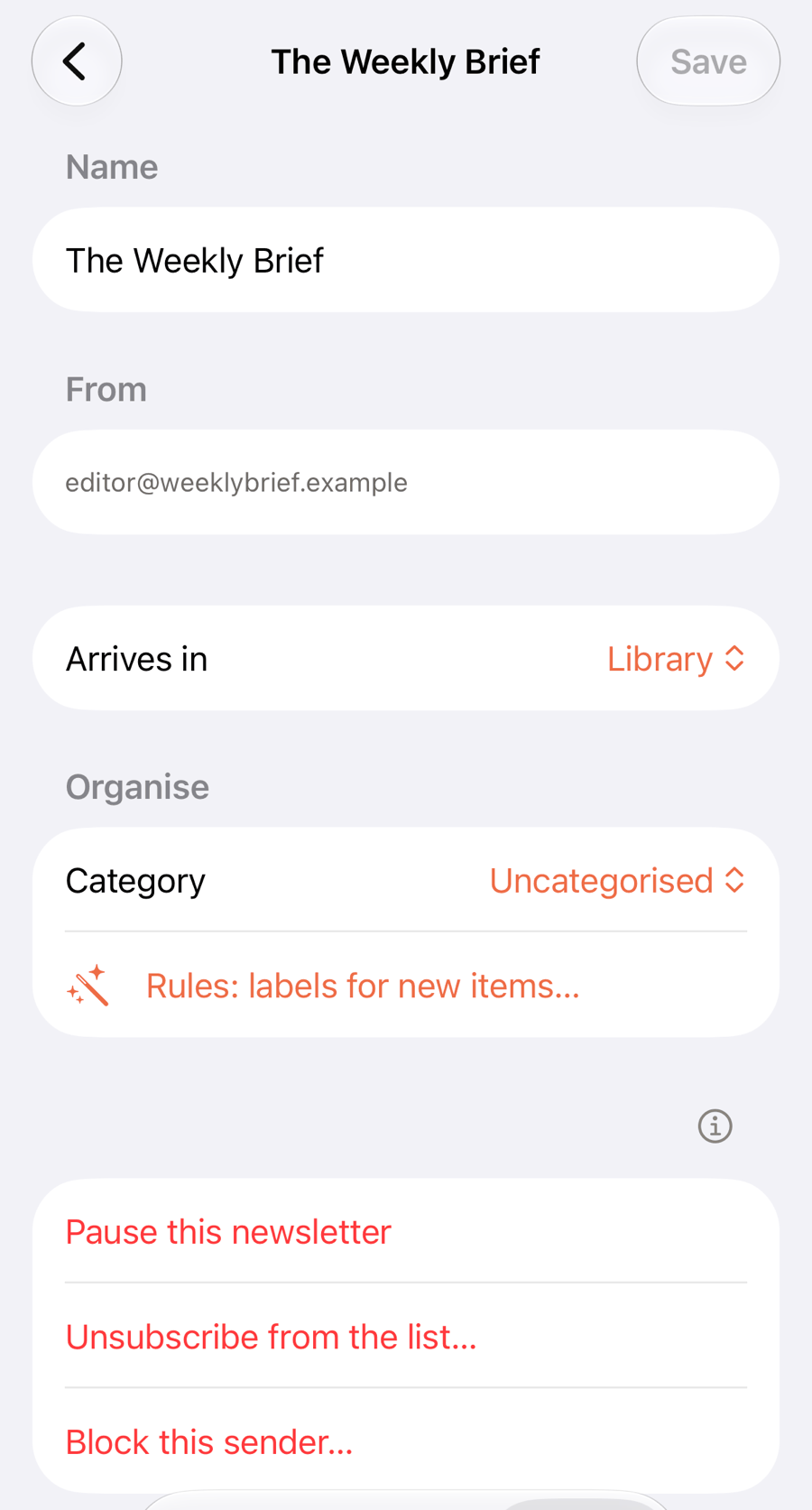
- Name. Rename it. Tap Save to keep the change.
- From is the sender’s address.
- Arrives in. Feeds or Library. New newsletters start in Library, which is for newsletters you mean to read. Feeds is for skimming.
- Folder and Rules (Pro) work as they do for feeds.
- Pause this newsletter holds its mail until you tap Resume. Issues you already have stay.
- Unsubscribe from the list… asks the sender to take your Readstow address off the list, and stops the newsletter. Some senders only offer a link. In that case Readstow opens it so you can finish there.
- Block this sender… holds its mail for good. Unblock this sender brings it back.
- Delete this newsletter removes it, and asks whether to keep its issues.
Held messages
Not every email to your address is a newsletter. A receipt, a personal note from someone else, or mail from a sender you’ve paused or blocked, is held instead of saved. It’s listed under Held messages on the Newsletter inbox page (Settings → Newsletter inbox), with the reason.
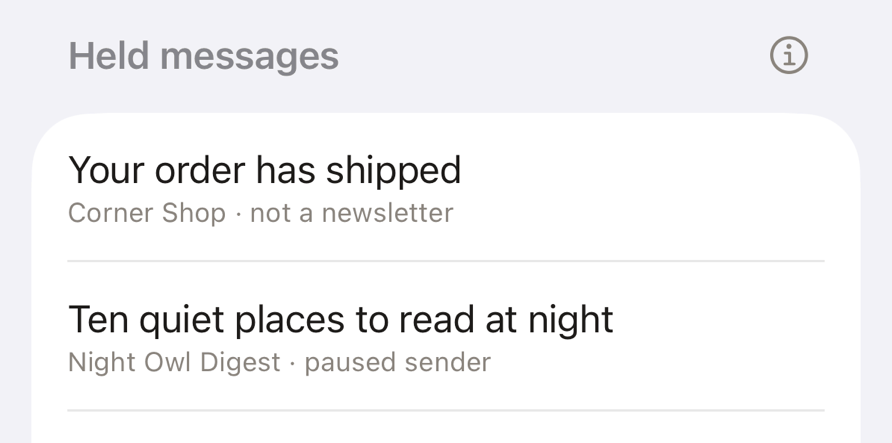
Tap a message to choose.
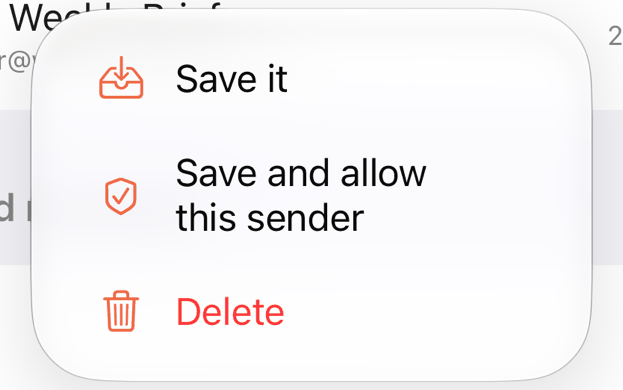
- Save it saves this message as an article.
- Save and allow this sender saves it, and lets mail from that sender in from now on. If you’d paused or blocked them, that’s undone.
- Delete removes this message. You can also swipe it left. Clear all removes every held message.
Held messages are deleted after 7 days.