
Guide
Account and plans
Your account, password and devices, the Free and Pro plans, and deleting your account.
Open Profile. It has four groups: your account and plan, Settings, Sync, and About.
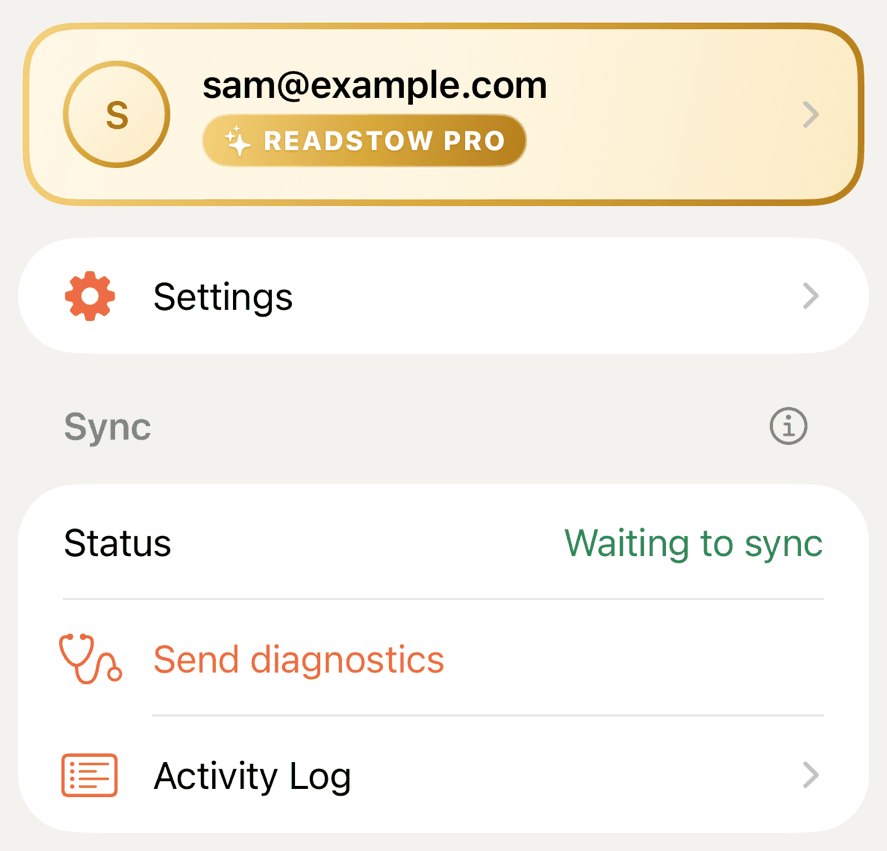
- Account and plan. Your email address and plan. Tap it for the Account page, which has your Plan.
- Settings. Everything you set once. See Getting started.
- Sync. Whether you’re up to date, when you last synced, Send diagnostics and the Activity log. Tap the ⓘ for how syncing works.
- About. The privacy policy, terms, support and the app’s version.
Your account
Tap your email address to open Account.
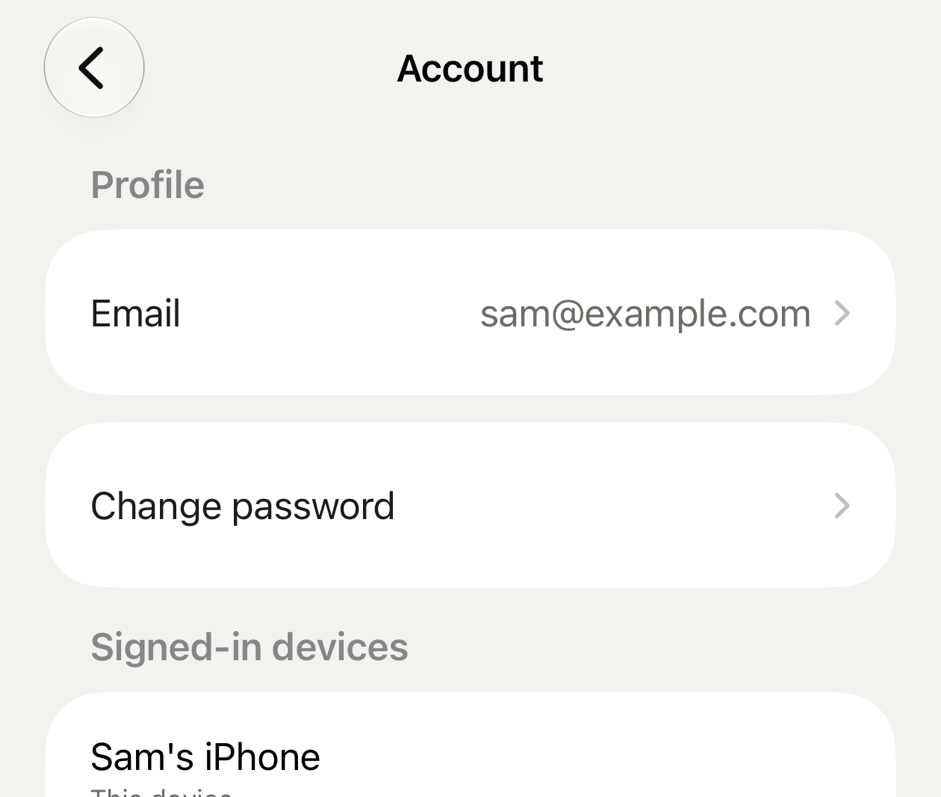
- Email. Change your address. Readstow asks for your password and sends a link to the new address to confirm it. If your address isn’t confirmed yet, Resend verification email is here too.
- Change password. Enter your current password, then the new one twice. Your other devices are signed out.
- Signed-in devices. See where you’re signed in. Tap Sign out beside a device, or Sign out all other devices.
- Plan. Your plan, and how to change it. See below.
- Delete account. See below.
Forgotten your password? On the sign-in screen, tap Forgot password? and Readstow emails you a reset link. The link works for 30 minutes.
Two devices
You can be signed in on two devices at a time. When you sign in on a third, Readstow lists the two devices, with when each was last used. Tap the one to sign out, then confirm. This device signs in, and the one you chose is signed out the next time it connects. If you sign in on another device and your first one shows Signed out on another device, that is why.
Free and Pro
| What | Free | Pro |
|---|---|---|
| Saved articles | up to 100 | no limit |
| Storage | up to 100 MB | up to 5 GB |
| Feeds | up to 3 | up to 250 |
| Newsletter address | 1 | 1 |
| Offline reading, labels, highlights, notes | yes | yes |
| Export your library | yes | yes |
| Search | yes | yes, plus advanced search |
| Folders | up to 3 | no limit |
| Rules | no | yes |
| Auto-archive / delete | no | yes |
| Import | no | yes |
| Books: Save as EPUB, Send to Kindle | no | yes |
| Sign in to the sites you pay for | no | yes |
Pro is everything in Free, with higher limits and added features. Try Pro free for 7 days.
On the Free plan, the limit is 100 saved articles or 100 MB of storage, whichever comes first.
Newsletters don’t count towards your feeds. On the Free plan, Profile shows how much of each limit you’ve used:
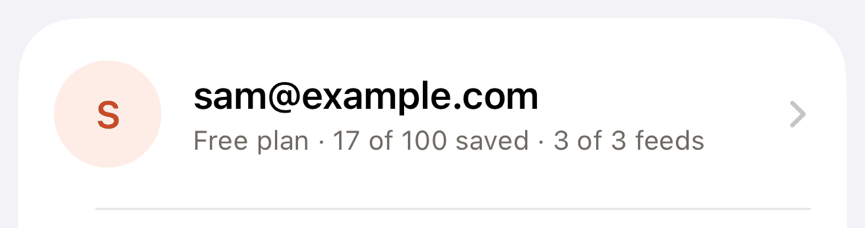
You only hear about a limit when you reach it. On the Free plan, "New folder" is greyed out once you have 3 folders, and a feed’s settings show Folder but not Rules or Auto-archive / delete.
Choose or change a plan
Go to Profile → Account and scroll to Plan. It shows your plan and when it renews. Change plan lists the plans. There you can also manage your subscription with the App Store, restore a purchase, or redeem a code.
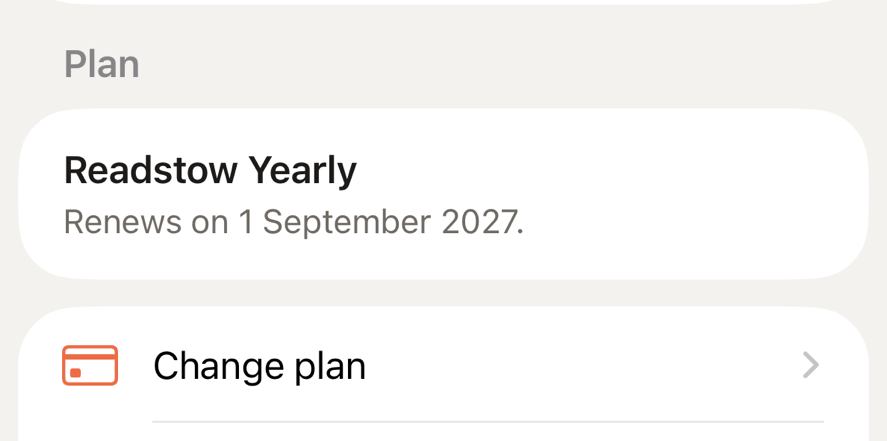
If Pro ends, your account becomes a Free account. Everything you saved stays readable. New saves stop above the Free limit, feeds above the Free limit pause, and rules pause. Nothing is deleted.
Billing, renewals and refunds stay with the App Store.
Sign out
Profile → Sign out removes your library from that device. It stays in your account. If you have changes that haven’t synced yet, Readstow warns you first.
Delete your account
- Open Profile → Account.
- Tap Delete account.
- Enter your password, and type DELETE to confirm.
This deletes your library, highlights, feeds and account for good, and can’t be undone. Copies in backups are gone within 14 days. Signing out is different: it only removes your library from that phone.
Your privacy
Readstow has no ads, no tracking and no third-party analytics in the app. The Trust page explains how your account is looked after, and the privacy policy has the full detail.
If something goes wrong, tap Send diagnostics under Sync on Profile. It sends app events and error codes, not your articles or password, and only when you choose to send it. The Activity log shows the same events in plain text.